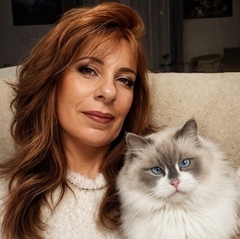
Posté(e) 23 novembre 20178 a Il avait tellement manqué à certaines personnes ce fameux et illustre fond rose. Voici une photo d'un de mes chats , Captain Kirk.
Posté(e) 23 novembre 20178 a Comment le dire le chat est très beau et bien capté par contre ce fond rose, perso il ne m'a pas manqué du tout
Posté(e) 23 novembre 20178 a Il a une bonne bouille ce minou, ou tu as mis spock ? ok je sors.... Euh, le fond rose, c'est une question de goût...
Posté(e) 24 novembre 20178 a Oui, le chat est très mignon et bien shooté. En revanche, la couleur du fond ne va pas du tout avec son pelage.
Posté(e) 24 novembre 20178 a Bonjour Nikita Ce fond rose lui va à merveille, la netteté et les couleurs ne sont pas en restes. Il est sublime ton chat Bonne journée Jo
Posté(e) 24 novembre 20178 a Le fond rose.... Belle image cependant. Un tout petit bémol sur l'éclairage : limite indistincte dans les hautes lumières entre la tête et le corps.
Posté(e) 24 novembre 20178 a Le retour du fond rose !!!!!!!!!!!!!!!!!!!!!!!!!! Des blancs limites mais une bonne attitude bien vive.


Créer un compte ou se connecter pour commenter