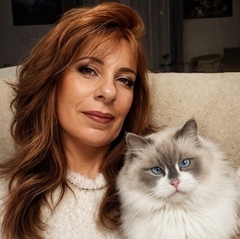
Posté(e) 18 décembre 20178 a Plus que quelques jours avant la quille. Certains chats n'en ont pas encore marre de poser. Dix- huit décembre : Khaleesi
Posté(e) 18 décembre 20178 a Il a l'air brave ce chat ,tout calme ,à l'aise .Merci pour cette foto qui va me mettre de bonne humeur .. (faudrait préciser le sexe car le prénom ne nous aide pas )
Posté(e) 18 décembre 20178 a Auteur il y a 9 minutes, ivo a dit : (faudrait préciser le sexe car le prénom ne nous aide pas ) C'est une femelle Ivo.
Posté(e) 18 décembre 20178 a Khaleesi est très belle, la photo est bien composée et l'éclairage bien géré, par contre t'aurai pas un autre fond ? Non pas le rose non plus ;-))
Posté(e) 18 décembre 20178 a Auteur Si j'ai d'autres fonds mais ça serait moins drôle. Merci à vous deux de votre passage et de vos avis sur cette photo.
Posté(e) 18 décembre 20178 a Une très belle photo , les fêtes approchent à grands pas et je sais qu'ils seront tous choyés Merci
Posté(e) 18 décembre 20178 a Auteur il y a une heure, PtiPoison a dit : Il me rappelle les années 70 ton fond ! Ouais. C'est moche hein ? C'est fait exprès !
Posté(e) 18 décembre 20178 a il y a 14 minutes, PtiPoison a dit : ça me fait marrer, continue ! Arrêtes de l'encourager, après le calendrier de l'avant elle va nous refaire le calendrier des PTT et je suis sûr qu'elle a plein de fonds horribles ...
Posté(e) 18 décembre 20178 a Auteur il y a 32 minutes, PtiPoison a dit : Oh oui, oui,un chat par mois avec le fond le plus pourri possible ! Oui, ça peut se faire.


Créer un compte ou se connecter pour commenter